Assistive technology for dyslexia works best when matched to the task it relieves: text-to-speech for reading, speech-to-text for writing, digital notes for lectures and audiobooks for listening. This guide does not rank one tool above the others.
Each tool below is tied to a task rather than a brand. For the wider range of aids, see our guide to assistive technology devices.
How to choose between dyslexia tools
The International Dyslexia Association describes assistive technology as tools that ease the demands of reading and writing. It also says the technology helps students with dyslexia save time and overcome challenges such as messy note-taking, slow reading speed and poor handwriting. That suggests choosing by the demand that causes the most friction, not by the most impressive gadget.
There is no evidence-based ranking of these tools, so the list follows the order in which most people meet the tasks. Work down it and stop at the first task that is a real problem for you.
- Reading: text-to-speech software, reading pens and visual reading aids.
- Writing and note taking: speech-to-text, word prediction, writing checkers and digital notes.
- Listening: audiobook libraries and the devices that play them.
- Work: the same tools set up for an office, plus the support employers can arrange.
Reading support
Text-to-speech software
Text-to-speech software converts written text into spoken words. According to Accessibility Checker, it can reduce reading fatigue. It suits people who can follow a spoken version of a document more easily than the printed or on-screen one, and it is usually the first tool worth trying for long reading.
Microsoft’s Learning Tools for desktop are a practical starting point. The Southern Regional Education Board lists Read Aloud, Text Spacing and Syllables among them. Because they sit inside software many people already use, they cost little to test before buying a specialist package.
The limit is that listening to text replaces reading rather than training it. If the goal is to read independently, text-to-speech works best alongside spacing and focus settings, not instead of them.
Reading pens
A reading pen is a handheld scanner that you run along a printed line. Accessibility Checker says these tools can scan printed text and give instant translations and definitions. They are most useful where the problem is printed material: textbooks, exam papers, forms and letters that have no digital copy.
Whether one is worth buying depends on how much print you read. If most of your reading is already on a screen, the text-to-speech tools above cover the same need at lower cost. A reading pen earns its place when paper is unavoidable and you want to look up a word without breaking off. Check the price and the supported languages against your own use before committing.
Focus tools and dyslexia-friendly fonts
Reading focus tools aid students with dyslexia by reducing visual stress, according to Lexia Learning. Accessibility Checker adds that dyslexia-friendly fonts reduce visual confusion and improve readability. Both are low-cost adjustments to try first, because they change how text looks rather than requiring a new device.
Writing and note taking
Speech-to-text and dictation
Speech-to-text, also called dictation software, converts spoken language into written text. With it, people with dyslexia can speak their thoughts and ideas and see them appear as text. It suits anyone whose spelling or handwriting slows down ideas they can already express aloud.
Dictated text still needs reading back. Pairing dictation with text-to-speech lets you check the draft by ear instead of relying on spotting errors by eye.
Word prediction and writing checkers
Word prediction software suggests words and phrases as you type, based on context. Lexia Learning notes that this reduces cognitive load in writing. Co:Writer is one example. It suggests words and phrases as a user types and recognises phonetic misspellings, which matters because a dyslexic writer’s spelling attempts are often phonetic. Accessibility Checker describes it as available for web and iOS.
Grammarly is a free and paid writing tool in the same space. Choose prediction if the trouble is finding the right spelling mid-sentence. Choose a checker if you write fluently and want a final pass for errors.
Digital note taking and smart pens
Digital note-taking tools let students organise and summarise content during lectures. Lexia Learning gives OneNote, Evernote and Google Keep as examples. Their advantage over a paper notebook is that notes can be reorganised afterwards and read aloud by text-to-speech.

Smart pens sit between the two approaches, since you still write by hand. They suit people who want to keep handwriting for lectures but need the notes in a digital form afterwards. Test one before buying if handwriting itself is a major difficulty, because typing or dictating into a note app avoids the handwriting problem entirely.
Listening: audiobooks and devices
Audiobook libraries remove decoding from the reading task altogether. Two services stand out for people with dyslexia, and they differ in cost and eligibility.
- Learning Ally: a digital library with over 80,000 audiobooks (vendor-stated). The Southern Regional Education Board describes it as a paid service, free for students with print disabilities in Texas and Florida.
- Bookshare: a government-funded programme giving free access to eBooks and other digital text. Accessibility Checker notes that you must provide proof of disability to use it, so allow time for that step before you need a book.
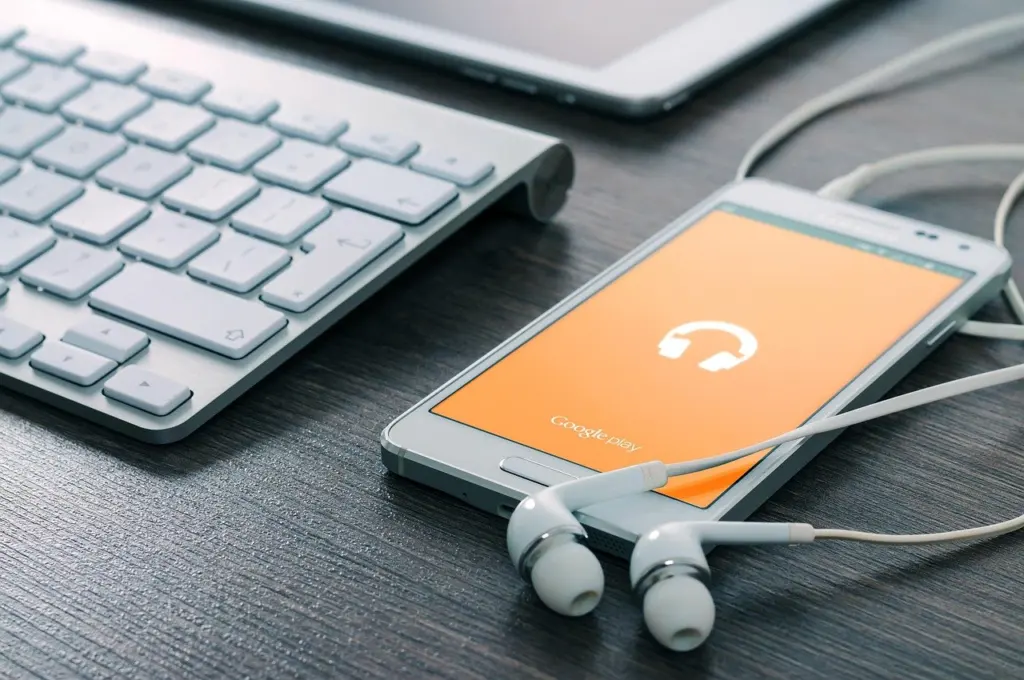
Neither service requires a purpose-built player to be useful. A phone or tablet with headphones is usually the simplest device, and a dedicated handheld player is a matter of preference, such as wanting something with fewer distractions. Pair audiobooks with a printed or on-screen copy where you can, so listening and reading support each other.
Dyslexia tech for work
The tools at work are the same as in education: dictation, text-to-speech, word prediction and digital notes. The difference is that they have to fit shared office computers, company software and confidential documents. Raise the need with your employer or manager early, because they may be able to arrange or fund the software. UK students can likewise ask their university disability service what support is available.
The IDA notes that assistive technology can ease the demands of reading and writing, and those demands are constant in office work: emails, reports and long documents. Start with whichever task takes the most time each day. For many people that is writing, so dictation and word prediction come first. For others it is reading, which makes read-aloud tools the priority.

Comparison of the tools
| Tool | Task it relieves | Suits | Limitation |
|---|---|---|---|
| Text-to-speech software | Reading on screen | People who follow spoken text more easily | Replaces reading rather than building it |
| Reading pen | Reading printed text, definitions | People who handle a lot of paper | Adds little if most reading is digital |
| Speech-to-text | Writing | Those who express ideas better aloud | Output still needs checking |
| Word prediction | Spelling and phrasing while typing | Typists with phonetic spelling | Needs to be set up in the apps you write in |
| Digital note taking | Lecture and meeting notes | Students and employees who reorganise notes | Requires a device in the room |
| Audiobook libraries | Long-form reading | Readers who want to avoid decoding | Bookshare requires proof of disability; Learning Ally has over 80,000 audiobooks but is a paid service in most places |
These descriptions draw on Accessibility Checker and Lexia Learning, and the Planning use of each row is a judgement based on them.
Putting a set together
The Southern Regional Education Board says these resources can help people with dyslexia, and also those with reading, writing or executive function difficulties. That overlap is useful, since the same tools help people with a range of needs.
- Start free: try built-in read-aloud, text spacing and dictation before paying for anything.
- Add one tool at a time: a single change you actually use beats a bundle you abandon.
- Match the tool to the format: a reading pen for paper, text-to-speech for screens, an audiobook library for books.
If someone in your household also has a visual impairment, our guide to assistive devices for low vision covers a different set of needs, and our comparison of the best screen reader for blind users explains how screen readers differ from the reading-aloud tools here.
Frequently asked questions
Is a reading pen better than text-to-speech software?
They suit different formats. A reading pen deals with printed pages, while text-to-speech software reads text that is already digital.
Do I need a dedicated audiobook player?
No. A phone or tablet with headphones can play audiobook libraries. A dedicated player is a preference rather than a requirement.
Is Bookshare free to use?
Bookshare is government-funded and gives free access to eBooks and digital text. You will need to provide proof of disability first.
Can dictation replace typing for someone with dyslexia?
For many writers it can replace most typing, since speech-to-text turns spoken ideas into text. You should still read the result back, ideally by ear with text-to-speech.