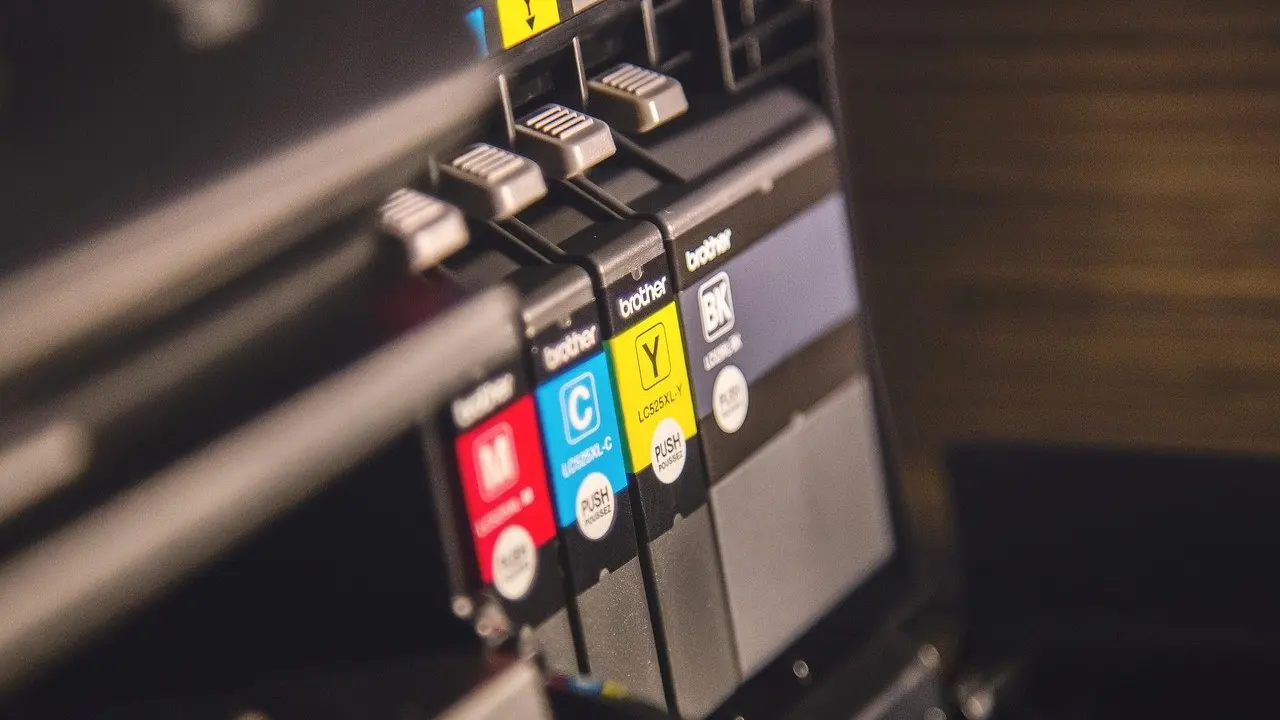
The best home printer is the one whose running costs fit what you actually print. Choose an ink tank model for regular colour and photos, a laser for mostly text, and a cheap inkjet only for occasional use.
Purchase price is the smaller part of owning a printer, so this guide works from cost per page. For wider context on choosing gadgets, see our consumer electronics buying guide.
Start with what you print, not the printer
Most poor printer purchases come from buying on shelf price and then discovering what a replacement cartridge costs. PCMag’s printer guide frames the decision around a few questions: inkjet or laser, printing only or scanning and copying too, and low-cost ink or a low-cost printer. Answer those three before you compare any model.
- Mostly text, such as letters, forms and school printouts: a laser is the natural fit, and a mono model avoids paying for colour you never use.
- Regular colour pages or photos: an inkjet or ink tank printer suits you better, because inkjets are the type PCMag credits with outstanding photos.
- Rare printing, a few pages here and there: a low-cost printer is reasonable, since you will not use enough ink for the cartridge price to dominate.
- Scanning and copying as well: look at all-in-one models, and check that the extra functions are worth their price.
Inkjet or laser: matching the printer type to the job
Neither type is better for every home. The right one depends on the pages you print most.
Inkjet printers
PCMag says inkjet printers can produce outstanding photos, crisp multi-page office documents, and everything in between. That range is the main argument for an inkjet at home. It suits households that print a mix of homework, boarding passes and the occasional photo, and want one machine to handle all of it. The trade-off is that cartridge ink can become the biggest cost, which is why the cost-per-page check below matters more for inkjets than for any other type.

Laser printers
PCMag describes a quality laser printer as one that delivers unparalleled speed, pristine text, and reliable paper handling. For a home office, a student or anyone who prints pages of text, those qualities matter more than photo quality. If you only ever print documents, a compact mono laser is usually the simpler choice. If you want colour, compare the full set of toner cartridges before you decide, not just the black one.

CNET also publishes a dedicated comparison, Inkjet Printers vs. Laser Printers: Which Is Better?, which is worth reading if your use falls between the two cases above. With the type settled, the next question is what each page will cost you.

Working out cost per page
Cost per page turns a cartridge price into a number you can compare across printers. The method is simple, and you can run it for any model before you buy.
- Find the stated yield. Use the page yield on the manufacturer’s specification page for the exact cartridge or toner the printer takes.
- Check the current price. Use today’s retailer listing for that cartridge, not the price from a review written months ago.
- Divide price by yield. The result is the cost of one page from that cartridge.
- Repeat for black and colour. If the printer uses separate cartridges, price the full set so you see what a colour page really costs.
- Compare against the high-yield option. Many printers accept a larger cartridge; run the same sum on it.
Treat yields as a comparison tool, not a promise. The pages you print, especially photos and heavy colour, will not match a standardised test. CNET notes the underlying problem in a headline: printer ink prices are ridiculously high. That is why a printer that looks cheap on the shelf can cost more over its life than a pricier model with cheaper consumables.

Which printer has the cheapest ink
The cheapest ink usually comes from a printer built around low running costs rather than a low sticker price. Three routes are worth comparing.
Ink tank printers
Ink tank printers replace small cartridges with refillable tanks and bottled ink. RTINGS lists the Epson EcoTank ET-2980 among its popular printers, which makes the EcoTank line a sensible starting point when you compare. Expect a higher purchase price than a basic inkjet, and run the cost-per-page check on the bottle price and stated yield to see how quickly that premium is recovered. A high-volume colour household is the best candidate. A household that prints a handful of pages a month may never recover it.
Bundled ink
Some deals include ink in the price. A CNET deal headline reads This HP Printer Comes With 2 Years of Ink. A bundle like this can lower early running costs, but check what happens when the bundled supply ends and what a replacement then costs. Judge the printer on its ordinary cartridge price as well.
Budget models
If you want a low entry price, PCMag maintains a roundup of top printer picks under $200, backed by hands-on testing at PC Labs. Use it to shortlist, then price each model’s cartridges before you buy. A low purchase price helps only if consumables are also reasonable.
Wi-Fi, duplex and scanning
Wi-Fi printing is worth having if more than one person or device prints. It lets phones, tablets and laptops print without a cable, and it means the printer does not have to sit next to a computer. RTINGS even has a category for portable wireless inkjet printers, a sign of how standard wireless has become. If one desktop does all your printing, a wired connection is fine and the feature need not drive your choice.
Duplex printing, which prints on both sides of a sheet automatically, suits anyone who prints multi-page documents often. It reduces paper use and produces tidier handouts. If you mostly print single pages, you can skip it and spend the money on cheaper consumables instead. Scanning and copying deserve the same test. PCMag’s guide asks whether you need just printing, or have to scan and copy, too, and the honest answer for many homes is occasionally. Buy an all-in-one only if you will use those functions.
Diagnostic: from your problem to a printer type
| Your situation | Printer type to look at | Planning use |
|---|---|---|
| Replacement ink keeps costing more than expected | Ink tank printer | Compare bottle price and stated yield before paying the higher purchase price. |
| You print mostly text documents | Mono laser printer | Prioritise speed, text quality and paper handling over photo quality. |
| You print photos and documents | Inkjet or ink tank printer | Inkjets are credited with strong photo output; check colour cartridge costs. |
| You print rarely and want a low price | Budget inkjet | Shortlist from budget roundups, then price the cartridges. |
| Several devices need to print | Any model with Wi-Fi | Wireless matters more than extra paper-handling features. |
The fit descriptions draw on PCMag’s printer guide and CNET’s coverage of ink prices.
Troubleshooting a printer that costs too much to run
If your current printer feels expensive, work through these checks before replacing it.
- Price the cartridges again. Run cost per page on the high-yield version if your printer accepts one.
- Match the printer to your pages. A photo-focused inkjet used for plain text documents is paying for capability it does not need, and a laser may suit better.
- Check the whole set. With separate colour cartridges, the full replacement cost is what you pay over time, not the price of one.
- Review whether you need the extras. Duplex, scanning and fast wireless add cost at purchase, so keep them only if you use them.
If the maths still points the other way, move to an ink tank model or a laser, depending on whether your pages are mostly colour or mostly text.
Choosing a printer is usually part of a larger desk setup. If you are equipping one, our guides to the best computer mouse and the best external hard drive cover the other essentials.
Frequently asked questions
| Question | Answer |
|---|---|
| Is an inkjet or laser printer better for home use? | Choose a laser for mostly text and an inkjet for photos plus documents. PCMag credits lasers with speed and pristine text, and inkjets with outstanding photos. |
| Which home printer has the cheapest ink? | An ink tank printer is the usual place to start, such as the Epson EcoTank line. Confirm by dividing the ink price by the stated page yield for the model you are considering. |
| Do I need Wi-Fi or duplex printing at home? | Wi-Fi is worth having when several devices print. Duplex only earns its cost if you often print multi-page documents. |
| Does a printer that includes ink save money? | It can reduce early running costs, as with the HP deal that includes two years of ink. Check the price of replacement ink once the bundle runs out. |