In the chromebook vs laptop choice, a Chromebook suits browser-based work such as Google Workspace for Education and often costs less, while a Windows laptop suits anyone who needs to install specialist desktop software or work mostly offline.
Both are laptops, so the real question is what you need to run. This page sets the two side by side and ties the Chromebook limitations to storage, connectivity and update expiry. For wider help choosing devices, see our consumer electronics buying guide.
Chromebook vs Windows laptop at a glance
| Criterion | Chromebook | Windows laptop | Planning use |
|---|---|---|---|
| Operating system | ChromeOS, Google’s Chrome operating system | Windows | Decide whether your key programs exist for ChromeOS before you compare prices. |
| Software model | Mainly web apps, with Android apps on many newer models and an optional Linux environment | Local apps and software, including resource-heavy and niche tools | Specialist or installed-only software points to Windows. |
| Local storage | Small; files mostly live online | Designed around locally installed programs and files | Large local libraries favour Windows. Cloud-first habits suit a Chromebook. |
| Internet dependence | Relies heavily on an internet connection and cloud services | Relies on local apps | Patchy connectivity favours Windows. |
| Updates | Automatic updates from Google for security patches | Local software to maintain | Check the update-expiry date for a specific Chromebook model before buying. |
| Hardware and cost | Often lower specifications, so more affordable and lightweight | Wider range of hardware | Chromebooks suit tight budgets and light carrying. |
These comparisons draw on Lenovo’s explanation of what a Chromebook is and Trafera’s Chromebook and Windows comparison for schools.
How a Chromebook works day to day
A Chromebook is a laptop that runs Google’s Chrome operating system. It is designed to use web applications and cloud storage, with most documents and files kept online rather than on the device. If your work already happens in a browser, that design removes a lot of maintenance and keeps the machine light.
Many newer Chromebooks also run Android apps from the Google Play Store. Models that support the “Linux (Beta)” feature can install a Linux environment too. Support depends on the model, so check the listing for the exact machine rather than assuming every Chromebook offers both.
Google also introduced a premium Chromebook Plus classification in 2024, so the Chromebook range is no longer only the lowest-cost models.
What a Windows laptop can do that a Chromebook cannot
A Windows laptop can run virtually any software you need, from resource-heavy applications to niche tools, because Windows relies on local apps. A Chromebook can only match that where a web, Android or Linux version of the program exists.
The gap is clearest in creative and specialist work. Upsie notes that some applications may not offer the same functionality as the Windows or MacOS version, and video and photo editing are the usual examples. If a course, employer or hobby names a particular desktop program, pick Windows.
- Installed-only programs: if the software has no web version, a Windows laptop is the safe route.
- Heavy workloads: resource-heavy applications belong on hardware built for them, not on a lightweight, lower-specification Chromebook.
- Mixed software needs: a Windows laptop avoids having to check each tool for ChromeOS compatibility.
Chromebook limitations to know before buying
The main Chromebook limitations are small local storage, heavy reliance on the internet and a finite update period. None of them is a flaw if you expect it. Each becomes a problem when you discover it after purchase.
Local storage
Chrome OS has small local storage, which Trafera describes as protecting the system from becoming over-extended. That works when files sit in the cloud. It is awkward for anyone who wants to keep large video, photo or game libraries on the device. Check the listed storage on the exact model and keep bulky files online.
Offline use
Chromebooks rely heavily on an internet connection and cloud-based services, unlike traditional laptops. If you commute through poor signal or work somewhere without dependable Wi-Fi, a Windows laptop with locally installed programs is the less risky option. Before relying on a Chromebook offline, confirm in Google’s support pages that each app you need can work without a connection.
Update expiry
Chromebooks receive automatic updates from Google, which keeps the latest security patches arriving. Those updates do not continue forever, so the automatic update expiry date for a particular model matters more than its launch date. Look it up in Google’s Auto Update policy before buying, especially when choosing an older or discounted model.
Chromebook vs Windows laptop for school
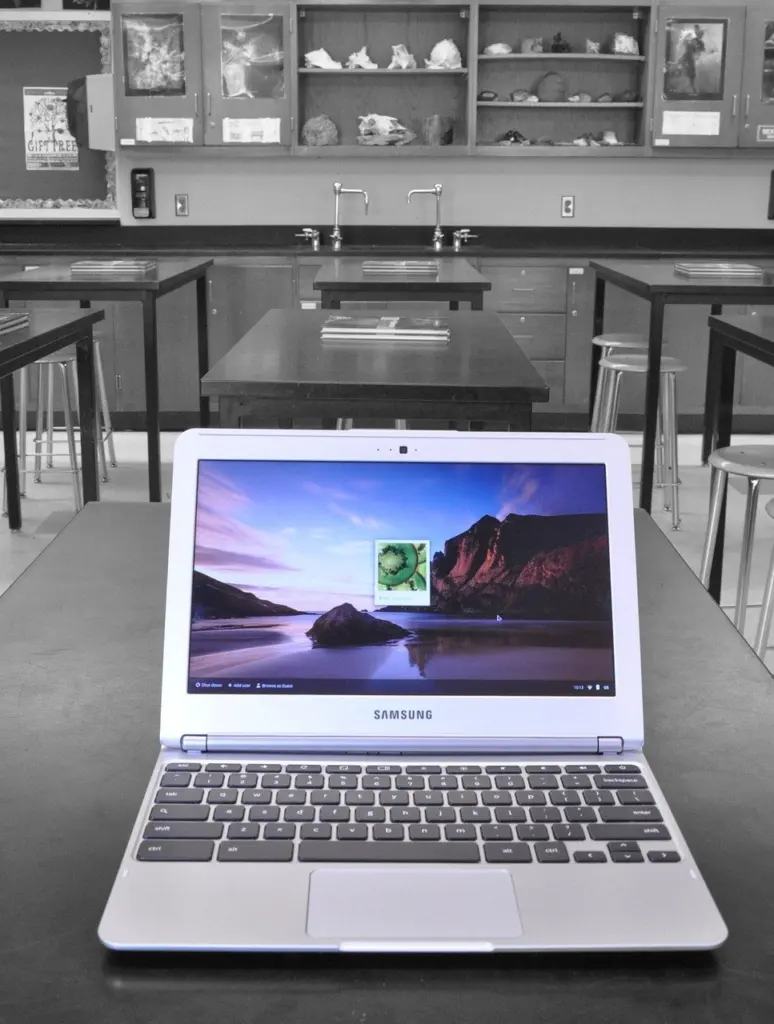
For most school and college work, a Chromebook is enough when the school uses web-based tools. ChromeOS is optimised for Google Workspace and Google Workspace for Education, and the cloud-first design means pupils’ documents are not tied to one device.
A Windows laptop becomes the better choice when coursework needs installed software, such as video or photo editing, or when a course specifies a Windows-only program. Ask the school or course for its software list first, since that settles the decision faster than comparing specifications. Our guide to the best laptops for students covers specific machines.

Which is cheaper over its lifetime
A Chromebook is usually cheaper to buy, because Chromebooks often have lower hardware specifications, which makes them more affordable and lightweight. Lifetime cost is less clear-cut.
A Chromebook’s lower price can be undone if its updates expire sooner than you plan to keep it. It can also be undone if you later find you need software it cannot run and buy a second device. Windows costs more at the outset but avoids that risk for people with demanding software. It also comes with a maintenance burden, since installing more local apps can slow the system.
Who should choose which
- Choose a Chromebook if your work lives in a browser, you want a light and affordable machine, and you have dependable internet.
- Choose a Windows laptop if you need desktop programs, work offline, or want one machine that runs whatever software appears later.
- Wait and check first if you are eyeing a discounted Chromebook. Confirm its update expiry date and storage before paying.
If you are building a wider kit list around a new laptop, our best wireless earbuds guide covers a common accessory.
Frequently asked questions
Is a Chromebook a proper laptop?
Yes. A Chromebook is a type of laptop that runs Google’s Chrome operating system rather than Windows.
Can a Chromebook run Android apps or Linux software?
Many newer Chromebooks run Android apps from the Google Play Store, and Chrome OS has a feature called “Linux (Beta)” for installing a Linux environment. Both depend on the model.
What is Chromebook Plus?
Chromebook Plus is a classification Google introduced in 2024 for premium Chromebooks.
Does a Windows laptop slow down as you add software?
It can. Windows relies on local apps, and installing more of them can slow the system, which is one reason Chromebooks keep local storage small.